Create and maintain products
Product forms maintain your catalog information, pricing, stock settings and product pictures.
Overview
Product forms maintain your catalog information, pricing, stock settings and product pictures.
Catalog, stock and customer checks
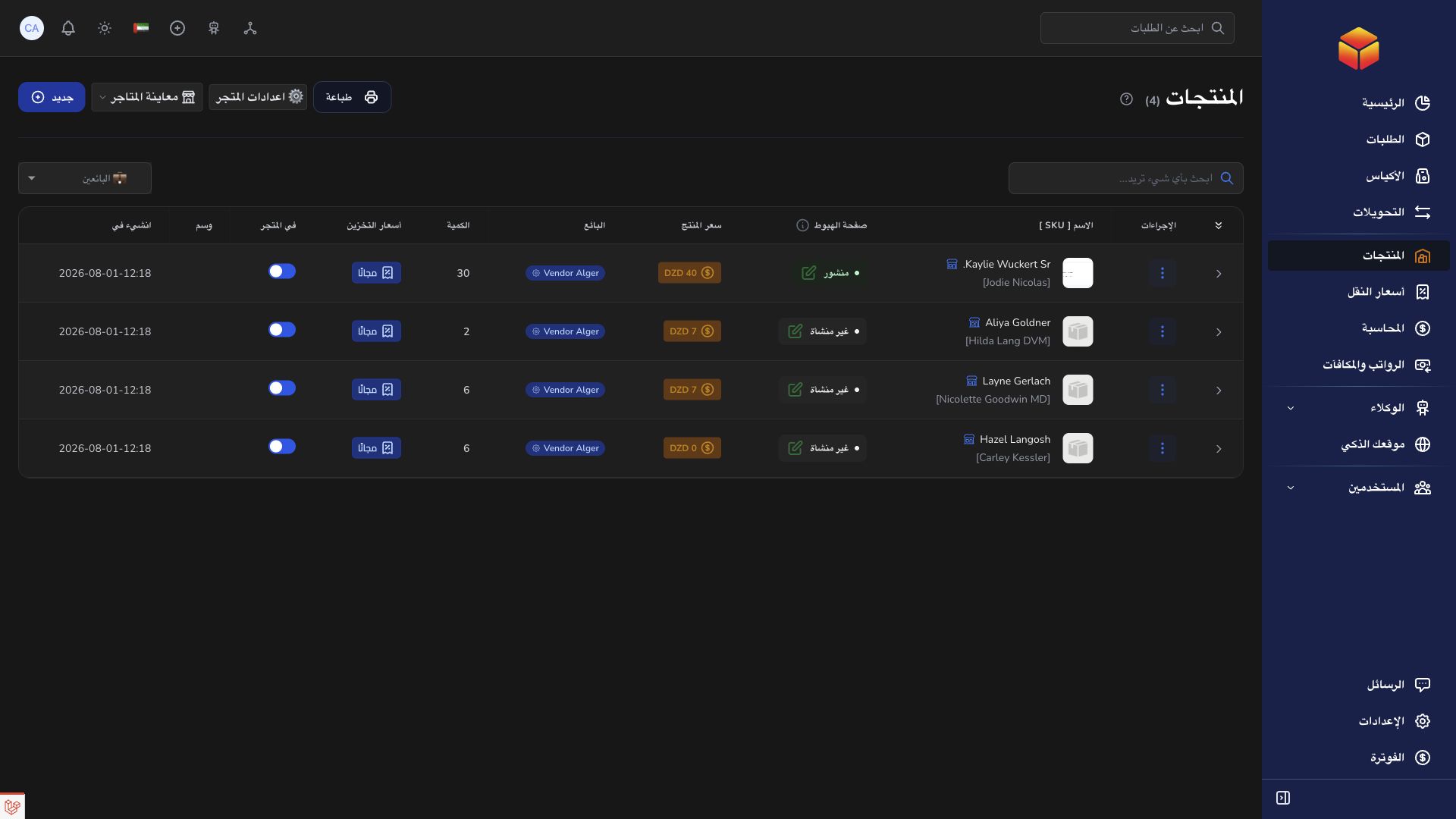
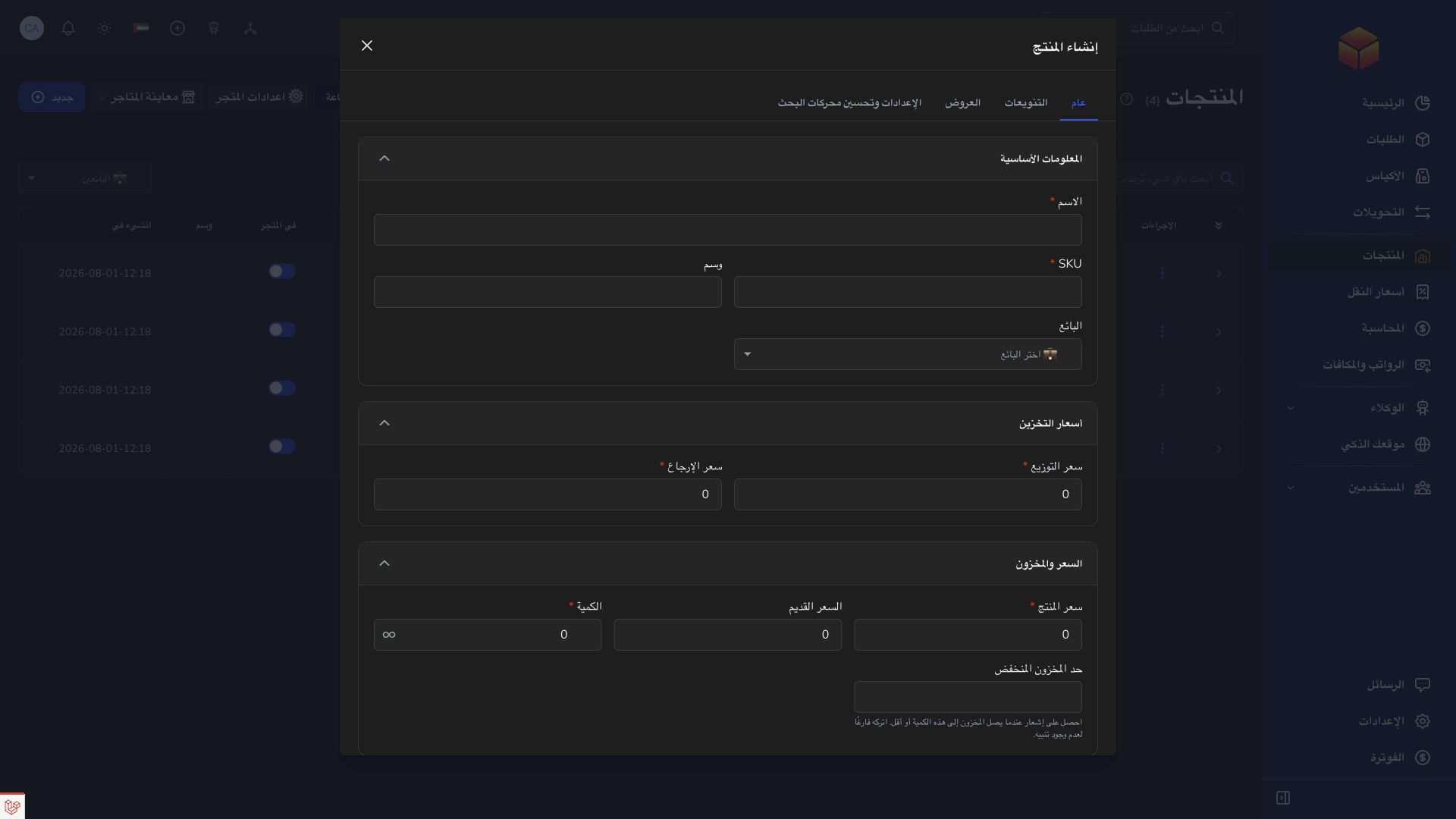
A product can contain a name, SKU, vendor assignment, price, delivery and return prices, quantity, pictures and optional variants or offers. Treat the SKU as an operational reference and keep the product description clear enough for the person preparing the shipment. A thumbnail represents the product in lists; the additional gallery helps the customer inspect it.
When variants are enabled, their options and quantities control the purchasable combinations. The main quantity field can therefore be unavailable. Unlimited quantity is a deliberate fulfillment mode, not a correction for an unexplained stock difference. Use stock adjustments and movement history where available to understand inventory changes before entering a replacement amount.
Store settings and product visibility affect the customer-facing journey. After saving, inspect the generated store link, product details, pictures, available options, cart and checkout information. Check both product and delivery amounts. Keep customer-facing links separate from private configuration URLs and verify the saved result before sharing a store with customers.
Steps
- Open Products and search for the item before creating a new product.
- Enter its name, SKU, vendor assignment where required and pricing information.
- Set quantity and delivery or return pricing where offered, then upload the thumbnail and additional product images.
- Review the available settings and save. Reopen the product to confirm the catalog data.
Good to know
Use an identifiable SKU and clear pictures. Product price and delivery price represent different amounts; check both before publishing products to a store.
Application links
Application links require the appropriate account access. The destination is selected for your signed-in role.