Open a support ticket
Create a support ticket when you need help with a specific application issue or operational question.
Overview
Create a support ticket when you need help with a specific application issue or operational question.
A complete request and a clear follow-up
Support is for a tracked request about an application problem or an operational question that needs investigation. Before creating a ticket, check the relevant guide and any existing ticket for the same incident. One complete conversation is easier to investigate than duplicate requests containing different pieces of evidence.
Use a short, specific title, then describe the impact, expected result, actual result and steps taken. Include the relevant page URL and exact order barcode, bag reference or transfer reference. An approximate incident time and a carefully cropped screenshot help locate the problem. Do not include passwords, access tokens or unrelated customer information.
Statuses distinguish open, in progress, on hold, waiting for response, resolved and closed work. Waiting for response means you should read the latest request and supply the missing information. Priorities low, normal, high and urgent communicate impact; they are not a guaranteed response deadline. Keep replying in the existing ticket and confirm whether a proposed resolution actually works.
Steps
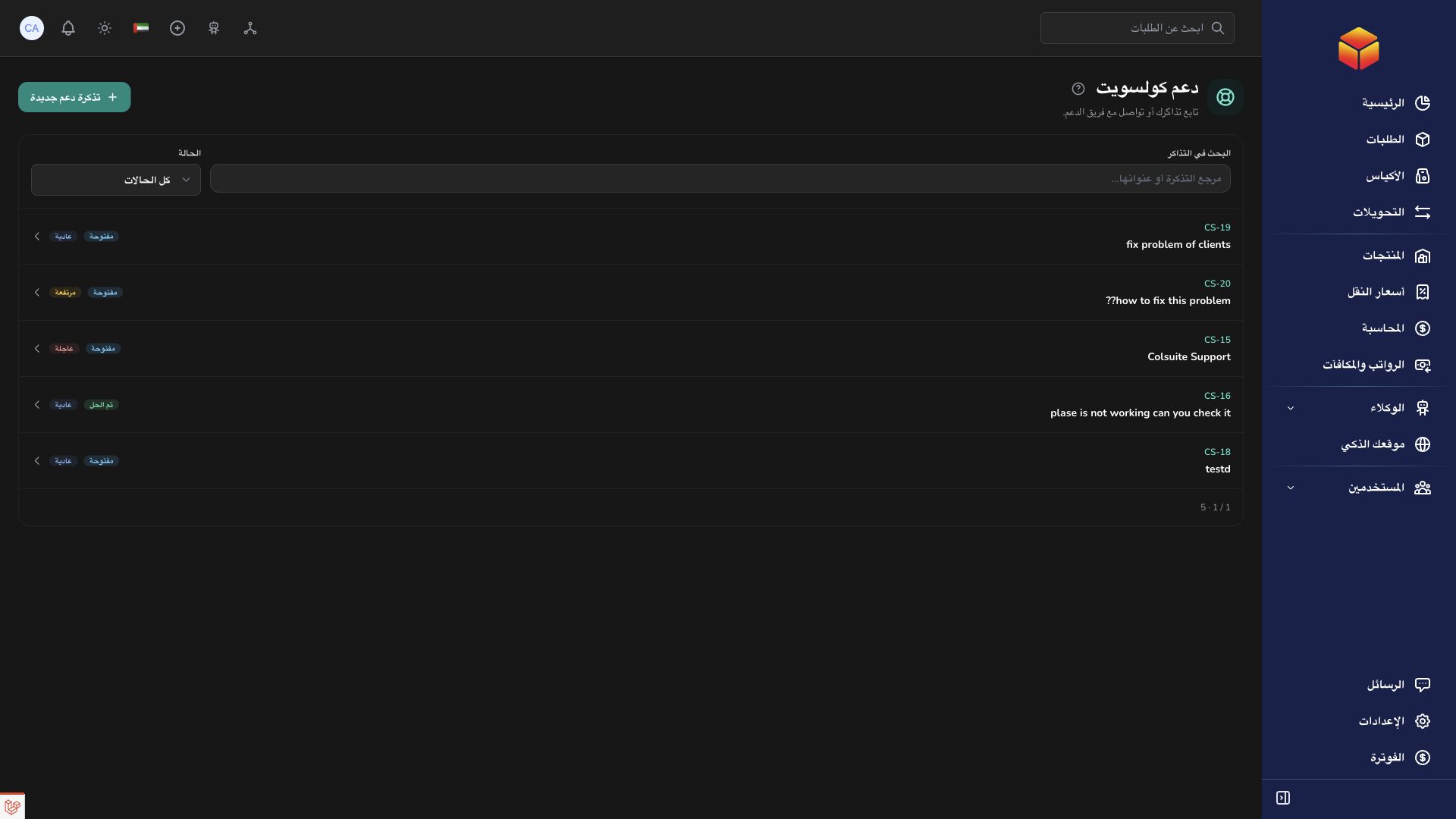
- Open Support or the support-ticket view in Messages.
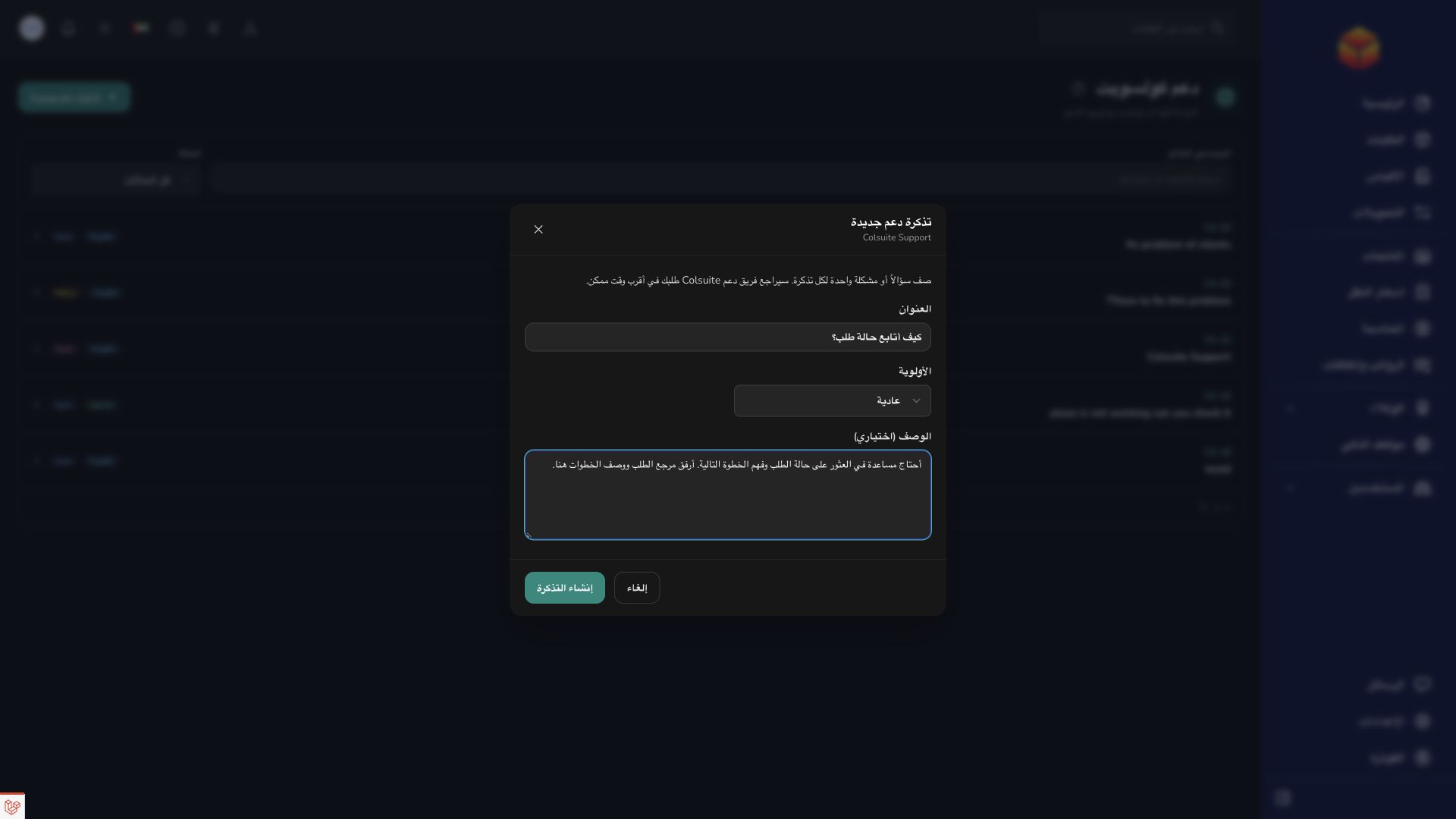
- Choose New ticket and enter a concise title describing the issue.
- Select a priority and describe what happened, what you expected and the steps that reproduce the issue. Include the relevant order, bag or transfer reference.
- Submit the ticket, then use its conversation to add follow-up details or attachments.
Good to know
Ticket titles allow up to 120 characters and descriptions up to 5,000. Priorities are low, normal, high and urgent. Never include passwords, access tokens or payment secrets.
Application links
Application links require the appropriate account access. The destination is selected for your signed-in role.